Existing clusters
A cluster created before 12 August 2026 does not change behaviour when the feature launches in your Region. Amazon EKS never alters a running cluster just because a new parameter becomes available.
CLI commands on this page need AWS CLI 2.36.21 or later. See Requirements. The console does not.
What changes immediately (and what doesn't)
Two things happen on launch day. Only one is visible, and neither changes how your cluster schedules pods.
The API response gains new fields. describe-cluster returns kubeSchedulerConfig, kubeControllerManagerConfig, and kubeApiServerConfig even if you never set them. On a cluster that has never been configured, these fields are null — not populated with defaults.
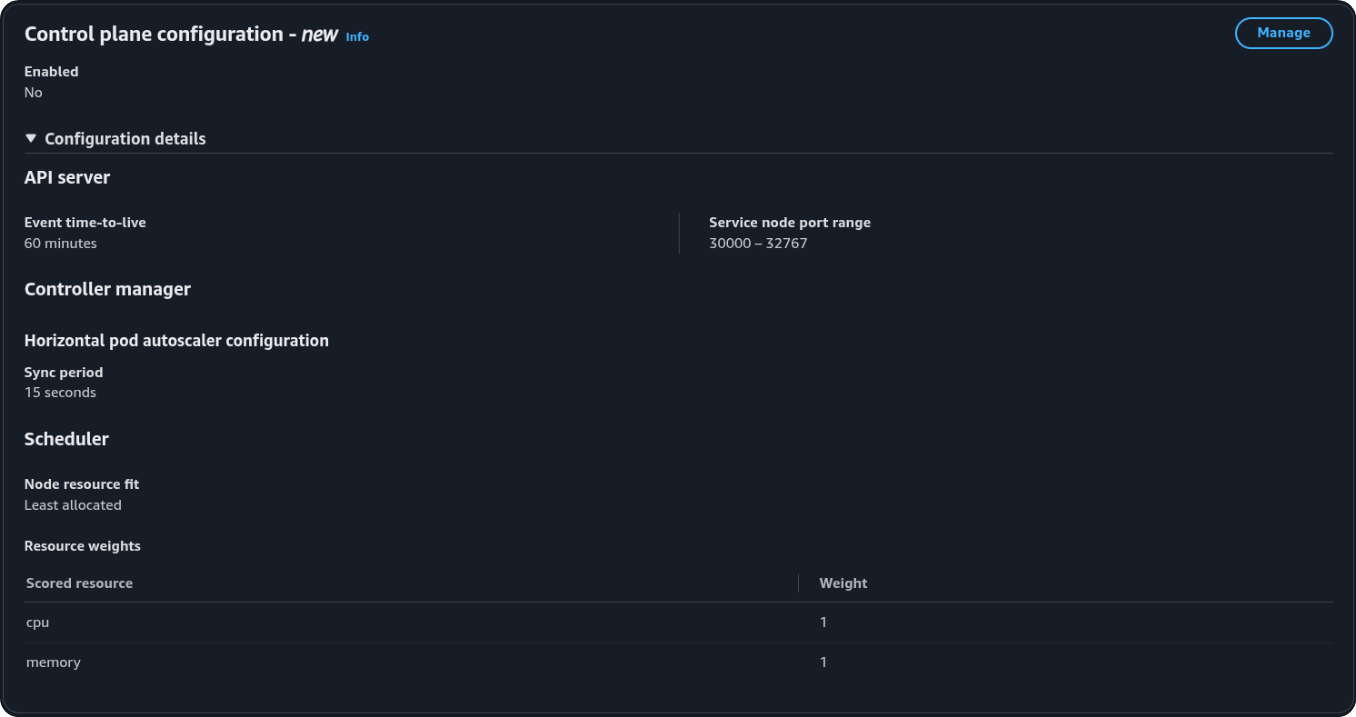
The console shows a new panel. The cluster detail page includes a "Control plane configuration" section. That the panel exists does not mean anything was applied.
Seeing null ≠ no defaults
The null values mean you have never explicitly configured these fields — the cluster still uses the upstream defaults (LeastAllocated, 60m TTL, and the default NodePort range). Scheduling, event retention, and NodePort allocation remain as they were until you call UpdateClusterConfig.
Overview Enabled stays No until a value is not the default
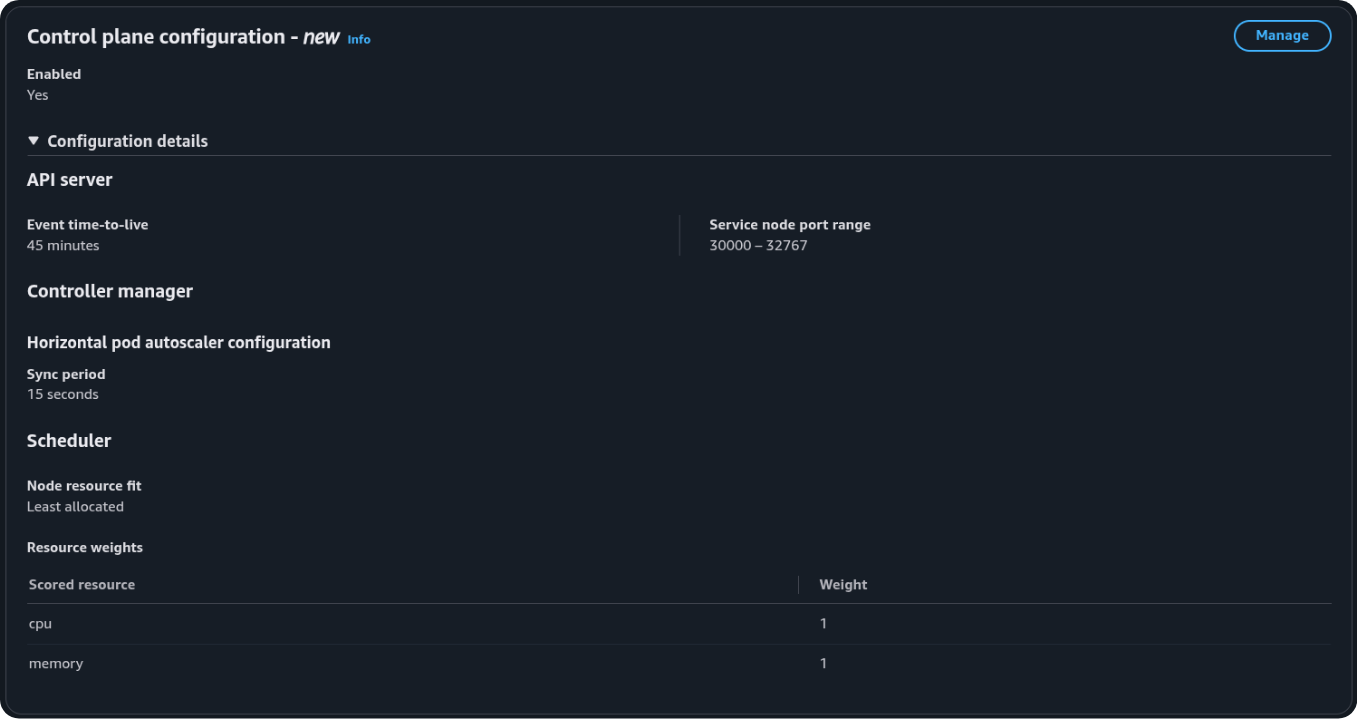
Saving the four defaults can finish as a ControlPlaneComponentConfigUpdate while the console still shows Enabled: No. The badge becomes Yes only when at least one field differs from the upstream default — for example event TTL 45m with scoring still LeastAllocated. Time does not flip the badge. MostAllocated is not required, and it is not the default you should set just to make the console say Yes.
Timeline
flowchart TD
  A["Cluster exists<br/>Created before 12 Aug 2026 · K8s 1.31+"] --> B["Feature launches in the Region"]
  B --> C["DescribeCluster returns new fields<br/>null until you Save"]
  C --> D{"Do you call<br/>UpdateClusterConfig?"}
  D -- "No" --> E["Nothing changes<br/>LeastAllocated · 60 min TTL · 30000–32767"]
  D -- "Yes" --> F["Rolling control plane update<br/>Status: UPDATING → ACTIVE"]
  F --> G["Only the fields you set change<br/>New events / new binds only<br/>Running pods stay bound"]
Defaults on an unchanged cluster
| Parameter | Value |
|---|---|
| Scoring strategy | LeastAllocated — cpu weight 1, memory weight 1 |
| Event TTL | 60m |
| NodePort range | 30000–32767 |
| HPA sync period | 15s |
Requires Kubernetes 1.31 or later. If your cluster is on an older version, upgrade before attempting a configuration update.
Migrating off a custom scheduler
Skip this section unless the cluster already runs a second scheduler. That is the workaround from before this feature: a customer-managed scheduler in the data plane, because the EKS default could not pack.
This lab cluster (lab-cluster) did not take that path. Save set event TTL to 45m and left scoring on LeastAllocated. The steps below apply only if you are replacing a custom packer with MostAllocated on the managed scheduler.
Amazon EKS does not choose a scheduler for a pod. Kubernetes does, from a field on the pod:
spec:
  schedulerName: custom-scheduler   # omit this (or set default-scheduler) to use the EKS-managed process
UpdateClusterConfig only changes how default-scheduler scores nodes. Pods that still name custom-scheduler never reach that process.
The three columns use two example Deployments: web never set the field; pack did. The trap is the middle column — both schedulers pack, and pack still ignores the managed one.
Two processes, two strategies
web — field unset
default-scheduler · LeastAllocated
pack — schedulerName: custom-scheduler
custom-scheduler · MostAllocated
Same routing. Only the default process changed.
web — field unset
default-scheduler · MostAllocated
pack — field still set
custom-scheduler · MostAllocated
One process for both Deployments
web — field unset
default-scheduler · MostAllocated
pack — field removed
default-scheduler · MostAllocated
- Call
UpdateClusterConfigwithscoringStrategy: MostAllocated. Wait until the control plane is ACTIVE. - Remove
spec.schedulerNamefrom the packing Deployments (or set it todefault-scheduler). Roll them. Only new pods switch; running pods stay bound until they are recreated. - Confirm new pods land on more-allocated nodes (
kubectl get pods -o wide). If they do not, check affinity, taints, topology spread, and that the field is actually gone on the new pods. - Delete the custom-scheduler Deployment, its RBAC, and any admission webhook that injected
schedulerName.
Summary for cluster owners
On launch day an existing cluster keeps LeastAllocated, 60 minute event TTL, NodePorts 30000–32767, and HPA 15s. None of that changes until you Save.
This lab then set event TTL to 45 minutes. Scoring stayed LeastAllocated. NodePorts and HPA stayed at the defaults. Overview Enabled: Yes because TTL is no longer 60m.
- Call
UpdateClusterConfig(or click Manage → Save in the console). - Wait for the rolling control plane update to complete (typically a few minutes).
- Accept that only the fields you set change, and only for new events and new scheduling decisions.
Running pods are never moved by a scoring strategy change.


null API fields.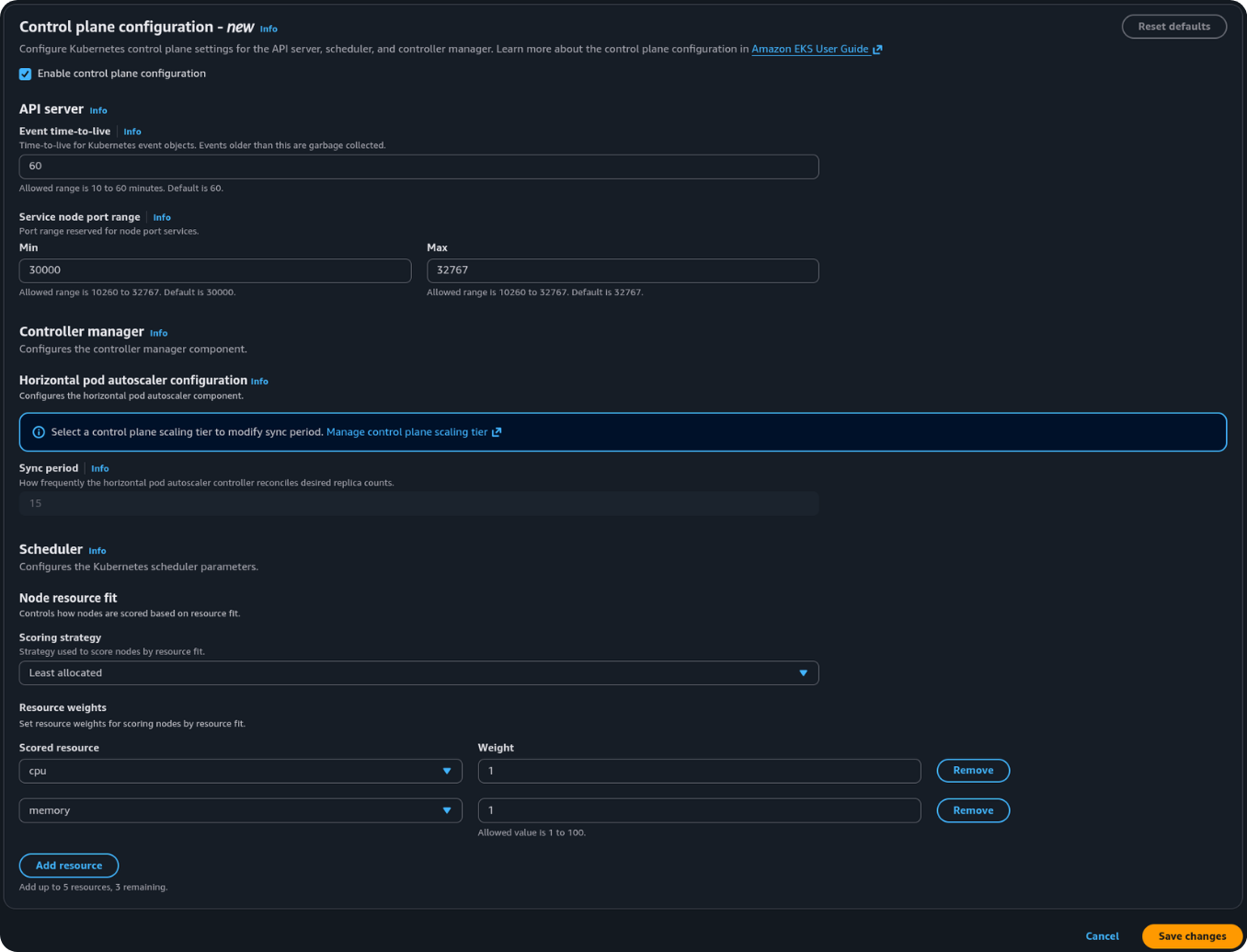


$ aws eks describe-cluster --name lab-cluster \
    --query 'cluster.{
      version: version,
      createdAt: createdAt,
      scheduler: kubeSchedulerConfig,
      controller: kubeControllerManagerConfig,
      apiserver: kubeApiServerConfig
    }' --region ap-southeast-2 --output json
{
    "version": "1.36",
    "createdAt": "2026-07-08T08:28:40.494000+12:00",
    "scheduler": null,
    "controller": null,
    "apiserver": null
}
$ aws eks describe-cluster --name lab-cluster \
    --query 'cluster.{
      version: version,
      createdAt: createdAt,
      scheduler: kubeSchedulerConfig,
      controller: kubeControllerManagerConfig,
      apiserver: kubeApiServerConfig
    }' --region ap-southeast-2 --output json
{
    "version": "1.36",
    "createdAt": "2026-07-08T08:28:40.494000+12:00",
    "scheduler": {
        "nodeResourcesFit": {
            "scoringStrategy": {
                "type": "LeastAllocated",
                "resources": [
                    {"name": "cpu", "weight": 1},
                    {"name": "memory", "weight": 1}
                ]
            }
        }
    },
    "controller": {
        "horizontalPodAutoscalerControllerConfig": {
            "horizontalPodAutoscalerSyncPeriod": "15s"
        }
    },
    "apiserver": {
        "eventTtl": "45m",
        "serviceNodePortRange": {
            "minPort": 30000,
            "maxPort": 32767
        }
    }
}
null is before Save. After a non-default (eventTtl: 45m) the three objects are populated. Scoring is still LeastAllocated. HPA is still 15s on Standard. Overview Enabled: Yes matches this JSON, not a wait.