Dashboard and Hosting
For the web/ app structure and polling behavior, see Dashboard Source Layout.
Run dashboard locally
Section titled “Run dashboard locally”cd webnpm ciVITE_API_URL="$(terraform -chdir=../terraform output -raw query_api_invoke_url)" npm run devVerify in browser:
- latest telemetry card renders
- recent event list renders
- data refreshes on polling interval
Amplify deploy procedure
Section titled “Amplify deploy procedure”API_URL="$(terraform -chdir=terraform output -raw query_api_invoke_url)"AMPLIFY_APP_ID="$(terraform -chdir=terraform output -raw amplify_app_id)"AMPLIFY_BRANCH=main VITE_API_URL="${API_URL}" ./scripts/deploy-amplify.shRequired environment variables in this flow:
API_URLAMPLIFY_APP_IDAMPLIFY_BRANCHVITE_API_URL
Retrieve hosted URL:
terraform -chdir=terraform output amplify_app_urlRollout checklist
Section titled “Rollout checklist”- Device publishes telemetry and button events.
- Cloud
Amazon CloudWatch Logs — stores IoT rule output for Phase 1 verification (`/aws/iot/esp32-demo/telemetry` and `/events`). logs receive both payload types. - API returns latest telemetry and recent events.
- Dashboard renders live API-backed data.
- Browser does not access DYNAMODB
Amazon DynamoDB — persists telemetry and event records after Lambda ingest in Phase 2. directly.
Expected result
Section titled “Expected result”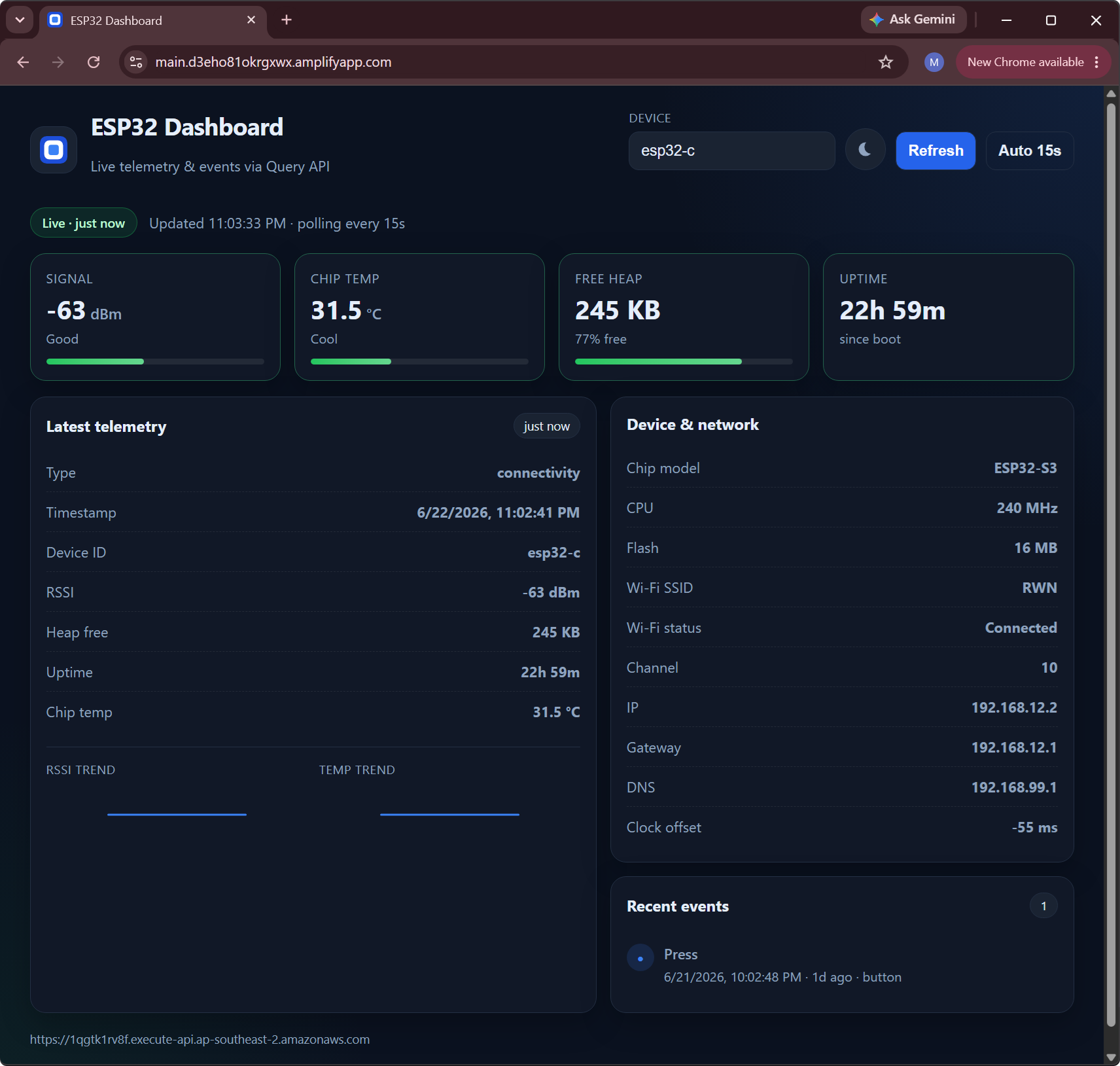
Deploy target is AWS Amplify
AWS Amplify — hosts the walkthrough dashboard frontend and connects it to the query API URL. using the query API from TERRAFORM
HashiCorp Terraform — provisions shared infrastructure (IoT rules fan-out, Lambda, DynamoDB, API Gateway, Amplify). outputs.