Verifying the Service
Retrieving Terraform Outputs
Section titled “Retrieving Terraform Outputs”After terraform apply completes, run terraform output to retrieve the deployment endpoints and resource identifiers:
terraform outputExample output:
aws_region = "ap-southeast-2"bedrock_max_tokens = 1024bedrock_model_id = "au.anthropic.claude-sonnet-4-6"cluster_name = "ecs-express-mode-demo-glm6pm-cluster"container_image = "ghcr.io/platformfuzz/bedrock-image-analyzer:latest"health_check_path = "/health"health_check_url = "https://ec-04256d75ab0d4ba394bc90a351df08b0.ecs.ap-southeast-2.on.aws/health"public_subnet_ids = [ "subnet-01068991d9e01116f", "subnet-0b496507884f466e7",]service_access_type = "PUBLIC"service_name = "ecs-express-mode-demo-glm6pm-web"service_url = "https://ec-04256d75ab0d4ba394bc90a351df08b0.ecs.ap-southeast-2.on.aws"vpc_id = "vpc-0ad6532587641ddce"web_ui_url = "https://ec-04256d75ab0d4ba394bc90a351df08b0.ecs.ap-southeast-2.on.aws/docs"| Output | Description |
|---|---|
aws_region | AWS region where resources are deployed |
service_url | Application URL |
service_access_type | Ingress access type — |
health_check_path | HTTP path the Express Mode load balancer uses for target health checks |
health_check_url | Full URL the load balancer polls for target health checks |
web_ui_url | Swagger UI for the image analysis API — open in a browser; the root URL returns 404 |
cluster_name | Name of the ECS cluster hosting the web service |
service_name | Name of the ECS Express Mode web service |
container_image | Container image URI used by the web service |
bedrock_model_id | Bedrock model or inference profile ID configured on the container |
bedrock_max_tokens | Maximum Bedrock response tokens configured on the container |
vpc_id | VPC ID created for ECS Express networking |
public_subnet_ids | Public subnet IDs used by the web service and ALB |
Verifying Health with curl
Section titled “Verifying Health with curl”Confirm the service is responding by curling the health check URL:
curl -s -o /dev/null -w "%{http_code}" "$(terraform output -raw health_check_url)"You should receive an HTTP 200 response indicating the container is healthy and serving traffic through the .
Confirming Tasks Are Running
Section titled “Confirming Tasks Are Running”Verify the ECS service has reached a steady state with desired count matching running count. Use the AWS CLI:
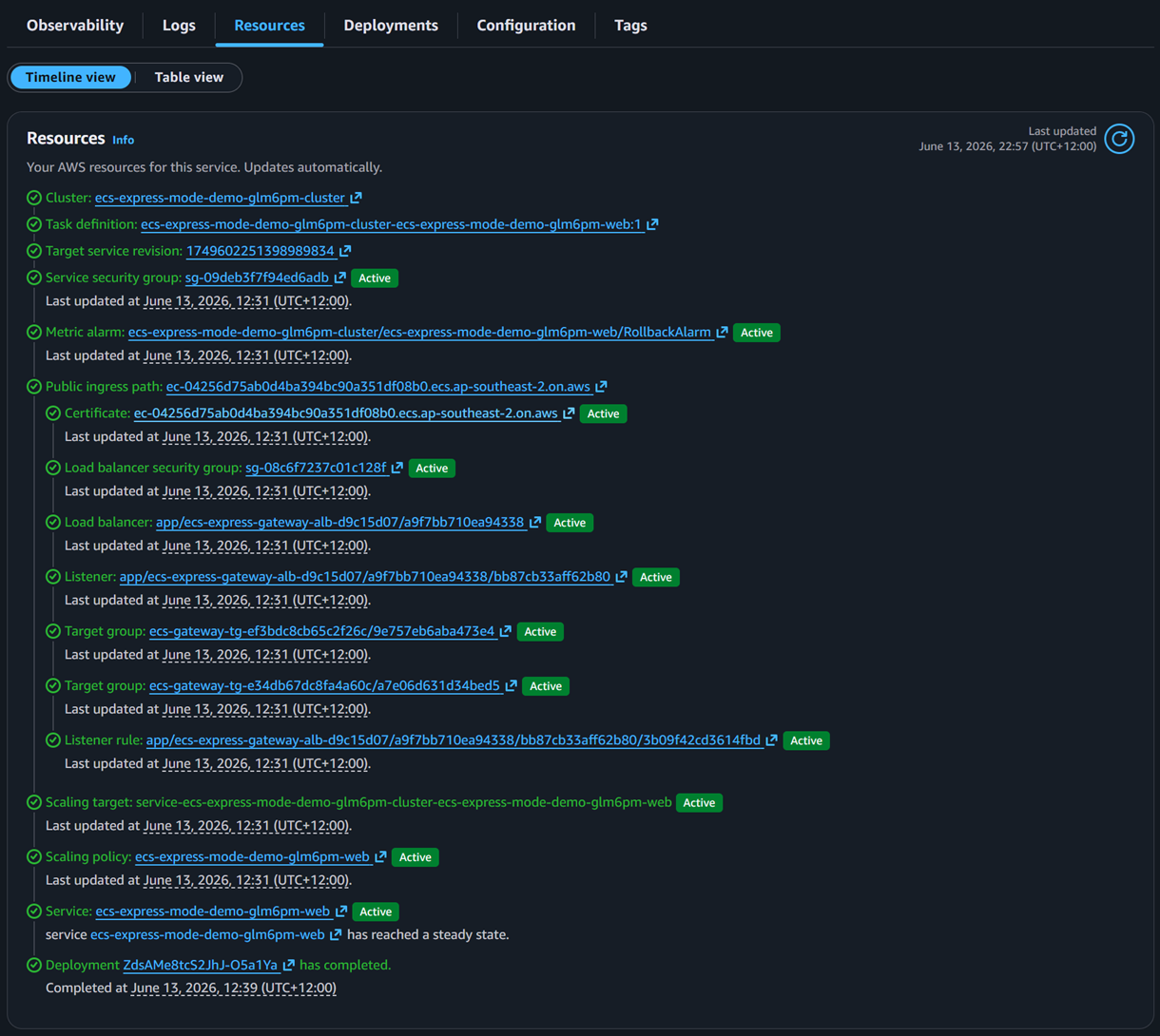
aws ecs describe-services \ --region "$(terraform output -raw aws_region)" \ --cluster "$(terraform output -raw cluster_name)" \ --services "$(terraform output -raw service_name)" \ --query "services[0].{desired:desiredCount,running:runningCount,pending:pendingCount}" \ --output tableThe output should show desired equal to running and pending at zero. This confirms the Express Gateway Service
The aws_ecs_express_gateway_service Terraform resource that provisions an ECS service with managed ALB, auto scaling, and simplified configuration for HTTP/HTTPS web applications and APIs. has launched successfully and all tasks passed the ALB health check.
Endpoint Outputs
Section titled “Endpoint Outputs”The demo exposes three URLs derived from the same Express-provisioned endpoint:
| Output | Example path | Purpose |
|---|---|---|
service_url | / | Base HTTPS endpoint for API requests |
health_check_url | /health | URL the ALB polls to determine target health |
web_ui_url | /docs | Swagger UI — use this to interact with the API in a browser |
Health Status “Unknown” Is Expected
Section titled “Health Status “Unknown” Is Expected”When viewing the ECS Tasks tab in the console, you may notice the Health status column shows Unknown for all tasks. This is normal and expected.
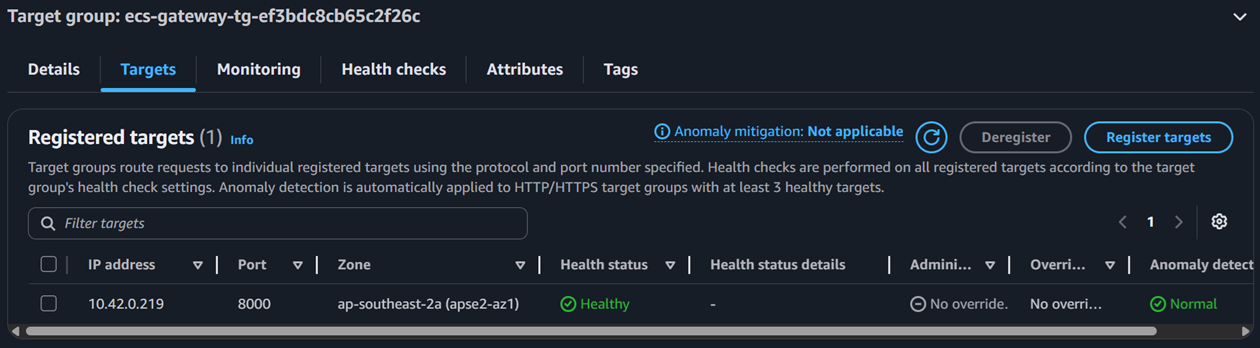
Express Mode does not define a container-level healthCheck in the task definition. Instead, operational health is determined entirely by the ALB target group health check configured via health_check_path. As long as the target group reports targets as healthy, the service is functioning correctly — the Application URL
The unique Express-provisioned HTTPS URL on *.ecs.<region>.on.aws used for all normal application traffic. remains accessible.