Re-Sign In for WSL Window
Re-sign Kiro in the WSL Window
Section titled “Re-sign Kiro in the WSL Window”Org subscription from the initial Kiro sign-in does not carry over to the WSL remote window. If credits show Kiro Free 50 / 50, sign in again (Your organization → IAM Identity Center, same Start URL and Region).
Kiro sign-in ≠ AWS CLI. AWS config (
~/.aws,aws sso login, profiles) is on the WSL host in the GitHub/AWS Setup sections — not on Windows. Never symlink~/.awstoC:\Users\...\.aws.
Fix .aws Symlink Issues
Section titled “Fix .aws Symlink Issues”If Kiro shows “Unable to access path: ~/.aws/sso/cache/...” — check whether ~/.aws is a symlink to Windows:
ls -la ~/.awsIf it shows lrwxrwxrwx ... /mnt/c/Users/...:
rm ~/.awsmkdir -p ~/.aws/sso/cachechmod 700 ~/.aws ~/.aws/sso ~/.aws/sso/cache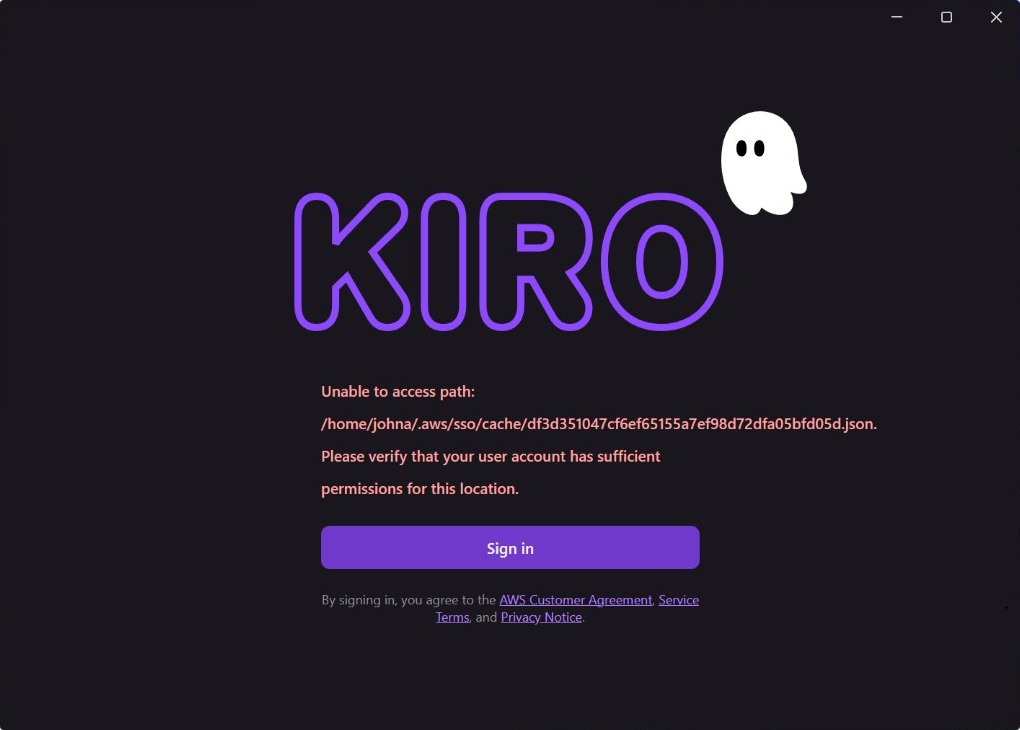
Re-sign Kiro in the WSL window. AWS CLI setup continues in the AWS Setup section. Kiro workspace config is in the Kiro Workspace Configuration section.