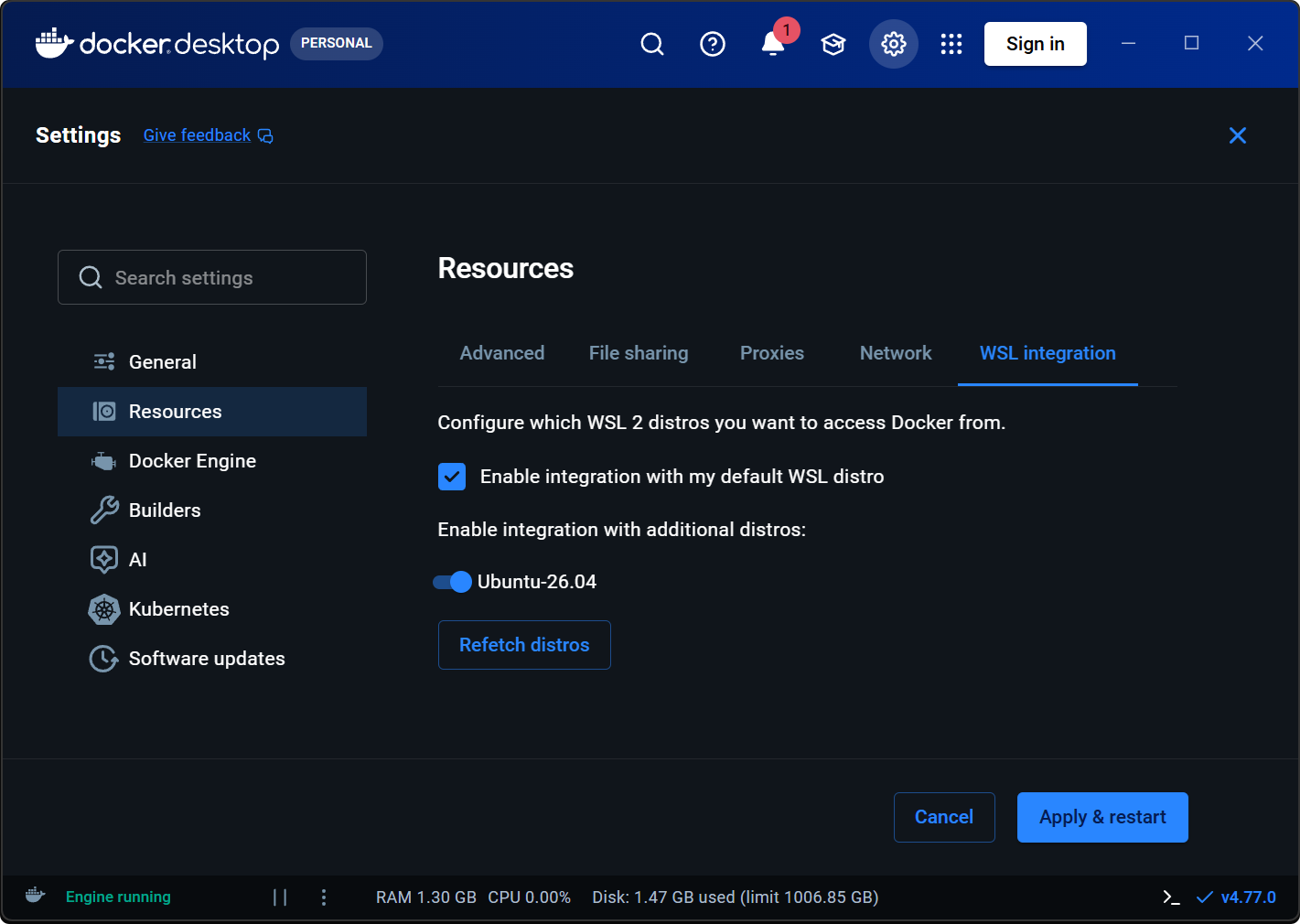
Check Enable integration with my default WSL distro
Under Enable integration with additional distros: turn ONUbuntu-26.04 (your distro name)
Click Apply & restart (bottom-right) → wait for whale icon to steady (~30–60 seconds)
Important: Step 3 is what actually enables Docker in your Ubuntu distro. The “default WSL distro” checkbox (step 2) only applies to whichever distro wsl --list marks with * — which may be docker-desktop, not Ubuntu. Enabling your specific distro by name in step 3 ensures Docker works regardless of which distro is set as default.
Optional: If you want Ubuntu to be your default distro (so wsl opens Ubuntu instead of docker-desktop), run in PowerShell:
Terminal window
wsl --set-default Ubuntu-26.04
Expected before you click Apply & restart — both enabled:
Distro not listed? Click Refetch distros, or open Ubuntu once → PowerShell: wsl --list --verbose → restart Docker Desktop.