Kiro IDE First Launch
First Launch
Section titled “First Launch”- Kiro shows Choose a way to sign in/sign up with four options: Google, GitHub, AWS Builder ID, and Your organization. For this guide, click Your organization and sign in with your work/organization identity (the same account you use for AWS IAM Identity Center / SSO). The other options also work if that is how your team normally uses Kiro.

- On Sign in with your organization, click Sign in via IAM Identity Center instead (bottom of the screen).

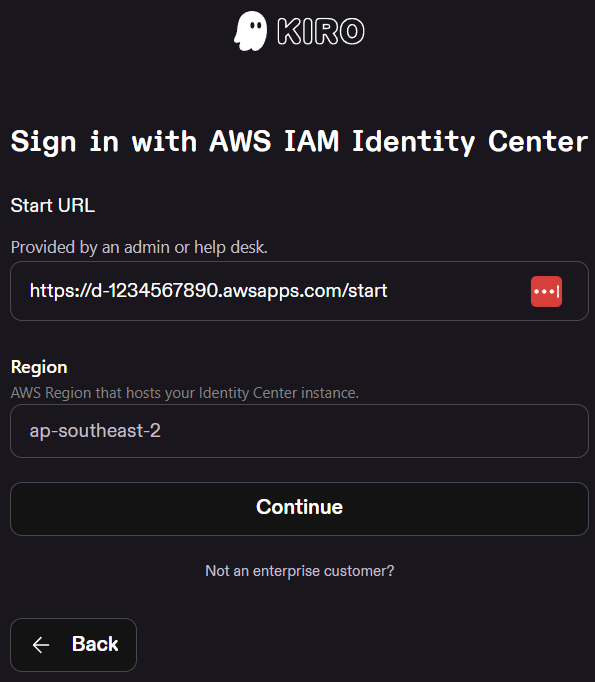
- On Sign in with AWS IAM Identity Center, enter your organization’s Start URL and Region (from your AWS administrator or Identity Center portal), then click Continue and complete browser sign-in.
- Start URL:
<YOUR_SSO_START_URL>(e.g.https://d-1234567890.awsapps.com/start) - Region:
<YOUR_SSO_REGION>(e.g.ap-southeast-2)
- Start URL:
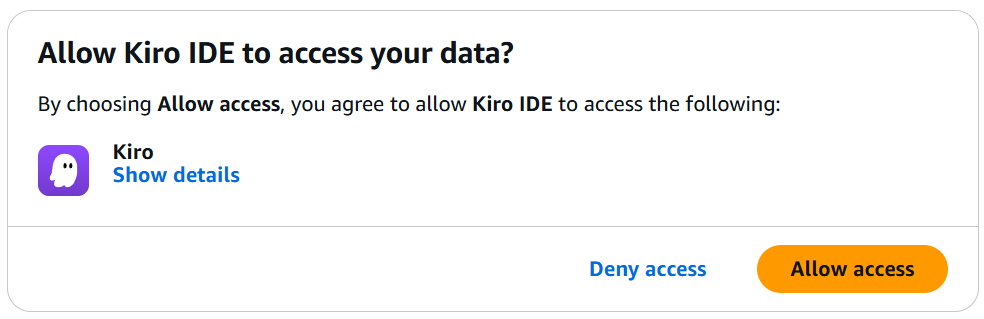
- After browser sign-in, you may see Allow Kiro IDE to access your data? — click Allow access to finish linking Kiro to your organization identity.
-
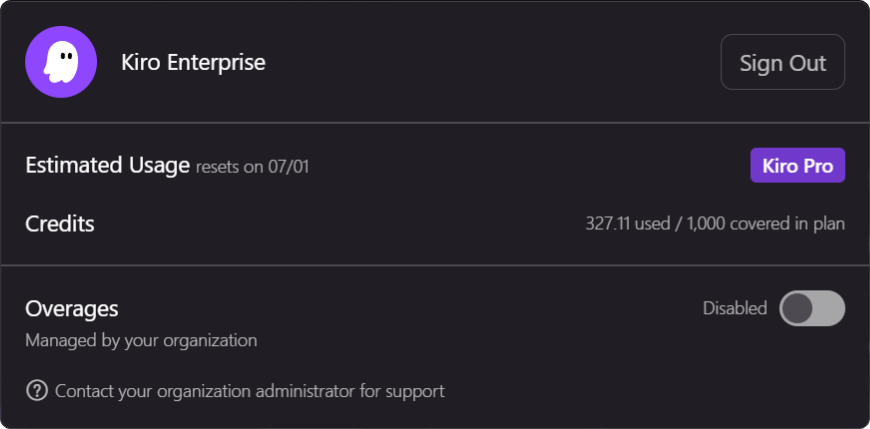
Verify sign-in worked — open your Kiro account / usage panel (account menu → credits or usage). Check the Credits line:
- 50 credits (default) — you are on the free tier, not your organization’s subscription. Sign-in succeeded, but Kiro is not using your org plan. Confirm you chose Your organization → Sign in via IAM Identity Center with the correct Start URL and Region, or ask your administrator whether your org has Kiro provisioned.
- Organization subscription — you should see your org name (e.g. Kiro Enterprise), a plan badge (e.g. Kiro Pro), and credits such as X used / Y covered in plan (not the default 50). That confirms org Identity Center sign-in and subscription are active.
WSL remote windows are separate. Sign-in here applies to the Windows Kiro window only. You will need to re-sign in the WSL window later.
- Close Kiro for now — extensions are installed in the next section.
Note: Kiro IDE is built on the VS Code platform. Install the extensions from the Kiro IDE Extensions page via Kiro’s Extensions panel (
Ctrl+Shift+X).